
Dapster: Your Go-To Dating App for Real Connections
Screenshots


Introduction
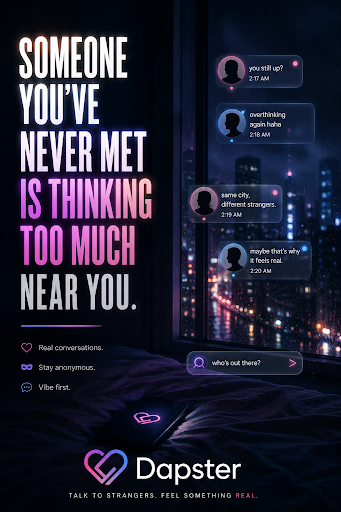
Dapster is a dating app developed by Grey Studios, designed specifically for individuals seeking genuine connections. Unlike many dating platforms that may prioritize superficial interactions, Dapster emphasizes meaningful dialogue and authentic relationships. With its user-friendly interface, Dapster allows users to discover profiles, match with like-minded individuals, and engage in private conversations seamlessly. The app is strictly for users aged 18 and above, ensuring a safe and respectful environment for all members.
Graphics & Gameplay
The visual design of Dapster is modern and appealing, with a clean layout that enhances user experience. The screenshots depict a vibrant color scheme that is both inviting and engaging. Users are greeted with a fresh feed of profiles daily, showcasing potential matches in an easily navigable format. The swipe feature, reminiscent of other popular dating apps, allows users to express interest by tapping a heart icon on profiles they find appealing. When two users express mutual interest, a match is formed, unlocking a private chat interface.
The chat interface is designed for privacy, featuring options for text, voice notes, and even view-once images, ensuring conversations remain confidential. The app also includes community-driven channels, fostering discussions around shared interests, which are visually represented as well-organized posts. Overall, the graphics maintain a balance between functionality and aesthetics, making the experience enjoyable and user-friendly.
Key Features
- Swipe & Match: Daily profile feeds allow users to swipe through potential matches effortlessly. Mutual likes lead to instant matches and private chats.
- Private Chat: Users can send text, voice notes, and images, with the assurance that conversations remain confidential.
- Interest-Based Channels: Users can join various channels to connect with others sharing similar interests, enhancing community engagement.
- Dapster ID: Each profile has a unique Dapster ID, enabling users to invite friends into chats, even if they are not using the app.
- Premium Membership: The app offers three premium plans (Dapster Pro, Max, and Infinite), each providing additional features such as unlimited likes and enhanced visibility.
- Safety & Moderation: Dapster implements strict content moderation and user verification processes to ensure a safe dating environment.
- Privacy Protection: User data and photos are securely encrypted, and users can delete their accounts at any time, ensuring complete control over personal information.
Mod Features
For those looking to enhance their Dapster experience even further, several creative mod features could be imagined:
- Premium Unlocked: Access to all premium features without the need for subscription payments, allowing unlimited likes and visibility perks.
- No Ads: An ad-free experience ensures uninterrupted browsing and chatting, enhancing user satisfaction.
- Unlimited Tokens: Users could enjoy limitless tokens for channel posting and connections, making it easier to engage with the community.
- Enhanced Privacy Settings: Additional options for users to customize their privacy, such as selective visibility of their profiles and interactions.
- Advanced Filtering: More granular filters for profile searches, enabling users to find matches based on specific criteria, such as interests or location.
How to Install APK on Android
Installing the Dapster APK on your Android device is simple and straightforward. Follow these steps to get started:
- First, ensure that your device allows installations from unknown sources. You can do this by going to Settings > Security > Install unknown apps and enabling your browser or file manager.
- Download the Dapster APK file from a trusted source. You can find it at the official link: Dapster APK Download.
- Once the download is complete, locate the APK file in your device's file manager.
- Tap on the APK file to begin the installation process. Follow the on-screen prompts to complete the installation.
- After the installation is finished, open Dapster, create an account, and start exploring the app's features.
Call to Action
If you're ready to find genuine connections and engage in meaningful conversations, download Dapster today! Visit the following link to access the APK file: Dapster APK Download. Join the community and start swiping towards your next meaningful relationship!