
Talk Now: Speak English AI - App Review and Download Guide
Screenshots


Introduction
Talk Now: Speak English AI is an innovative application designed by Envision Mobile Solutions, aimed at enhancing English conversation skills for learners around the globe. With over 1 million downloads, this app is rapidly becoming a popular choice for individuals seeking a practical and engaging way to improve their English proficiency. The app focuses on interactive learning through real conversations, allowing users to practice reading, writing, speaking, and listening skills with fellow learners and AI partners. Say goodbye to traditional learning methods and embrace a more dynamic approach to mastering the English language!
Graphics & Gameplay
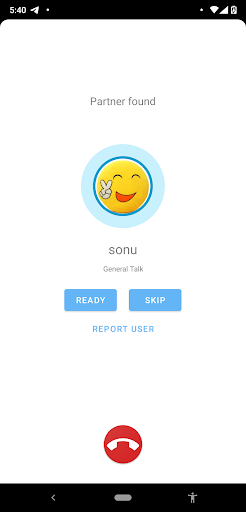
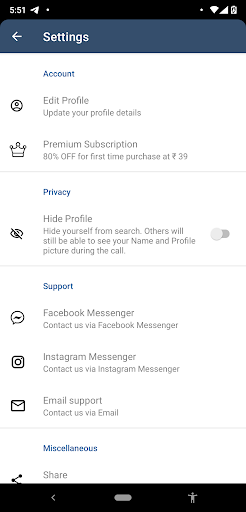
The user interface of Talk Now is vibrant and user-friendly, designed to facilitate smooth navigation and an enjoyable learning experience. The main dashboard features an inviting layout, showcasing options to connect with speaking partners and access various learning tools. Screenshots of the app display engaging visuals, including:
- Interactive Chat Screens: Users can engage in real-time text conversations with both AI and human partners, fostering an immersive learning experience.
- Audio Call Interface: The app features a clear and intuitive interface for making audio calls, which is essential for practicing pronunciation and conversational skills.
- Engaging Games: Fun and educational games are incorporated into the app, making the learning process enjoyable and less monotonous.
- Blog Section: The blog section provides users with conversation demos and tips, enhancing their understanding of effective communication.
Overall, the graphics and gameplay elements are designed to keep users engaged while promoting effective learning techniques. The colorful interface, combined with interactive features, makes Talk Now a standout in the English learning app market.
Key Features
- Practice with AI or Real Users: Users can choose to converse with AI partners or connect with other learners worldwide to practice their English speaking skills.
- Multi-Modal Learning: The app supports audio, text, and call formats, giving users various ways to enhance their vocabulary and pronunciation.
- Grammar Correction: Engage in conversations that help users identify and correct grammatical errors in real-time.
- Blog Resources: Access blogs that provide conversation starters and tips for improving communication skills.
- Fun Learning Games: Gamified lessons make learning English enjoyable and interactive, ensuring users remain motivated throughout their journey.
- Privacy Assurance: Users’ data is automatically deleted upon app uninstallation, ensuring privacy and data protection.
- No Dating Policy: The app promotes a learning environment, making it clear that it is not a dating platform.
Mod Features
For those looking for an enhanced experience, here are some creative mod features that could elevate the Talk Now app:
- Premium Unlocked: Access all premium features, including exclusive games and advanced AI interactions, without any fees.
- No Ads: Enjoy an uninterrupted learning experience with the removal of all advertisements.
- Unlimited Money: In-game currency can be used to unlock additional features and resources at no cost, allowing for complete customization of the learning experience.
- Enhanced AI Responses: Experience AI conversations that are more natural and contextually aware, making practice sessions feel more realistic.
How to Install APK on Android
Installing the Talk Now app on your Android device is straightforward. Follow these steps for a smooth installation:
- Download the APK: Visit the official download page at this link to download the Talk Now APK file.
- Enable Unknown Sources: Navigate to your device's Settings > Security > Unknown Sources, and enable the option to allow installations from unknown sources.
- Install the APK: Locate the downloaded APK file in your device's file manager and tap on it to initiate the installation process.
- Follow the Prompts: Follow the on-screen prompts to complete the installation. Once installed, you will find the Talk Now app icon on your home screen or app drawer.
- Sign Up and Start Learning: Open the app, sign up using your Google account, and start practicing your English conversation skills!
Call to Action
Ready to elevate your English speaking skills? Don’t miss out on the opportunity to connect with learners from around the world and practice a language that opens doors! Download the Talk Now: Speak English AI app now by clicking here and embark on your journey towards mastering English through practical conversations!